Documentation Index

Fetch the complete documentation index at: https://docs.komo.ai/llms.txt

Use this file to discover all available pages before exploring further.

A Playbook is a reusable sales motion captured as an executable workflow. Define it once — pre-call prep, QBR generation, weekly pipeline review, signal-to-touch — and run it as a one-click action, a schedule, or an automatic response to a signal. Playbooks are how institutional sales knowledge compounds into the agent layer.

How they fit the four pillars

PillarWhat playbooks do
DiscoverAuto-route new Signal Agent leads → personalized 2-touch sequence
ResearchPre-call briefs, account QBRs, competitive battlecards
PreparePull buying-committee context, draft talking points
Close & manageWeekly pipeline review, renewal risk scan, inbox routing

Four ways to create

In New Task, click Prompt to build in the right panel. Describe the goal in one sentence:
Run every Monday at 8 AM. For every open opportunity, pull the latest
inbox activity, the buyer's recent LinkedIn posts, and any changes to
their company page. Email me a one-page digest ranked by closest close date.
Komo wires up the steps, tools, and schedule. You review before saving.

2. Playbook Editor

Notion-like editor where you write the workflow in markdown:
## Goal
Pre-call brief for tomorrow's external meetings.

## Integrations
- Google Calendar
- CRM (Accounts, Contacts, Inbox)
- LinkedIn

## Steps
1. Pull tomorrow's calendar events
2. Match each external attendee to a CRM account
3. Research each attendee: last 3 LinkedIn posts, last 5 inbox threads, recent funding/hiring news
4. Draft a one-page brief: who they are, what's been discussed, opener, expected objections
5. Email me by 8 AM tomorrow
Tools and integrations auto-suggest. Visual preview as you write.

3. Import existing SOPs (Enterprise)

Upload Notion / Confluence / Google Docs / Word files from Settings → Playbooks → Import. Komo extracts the steps and proposes a draft.

4. Record your process

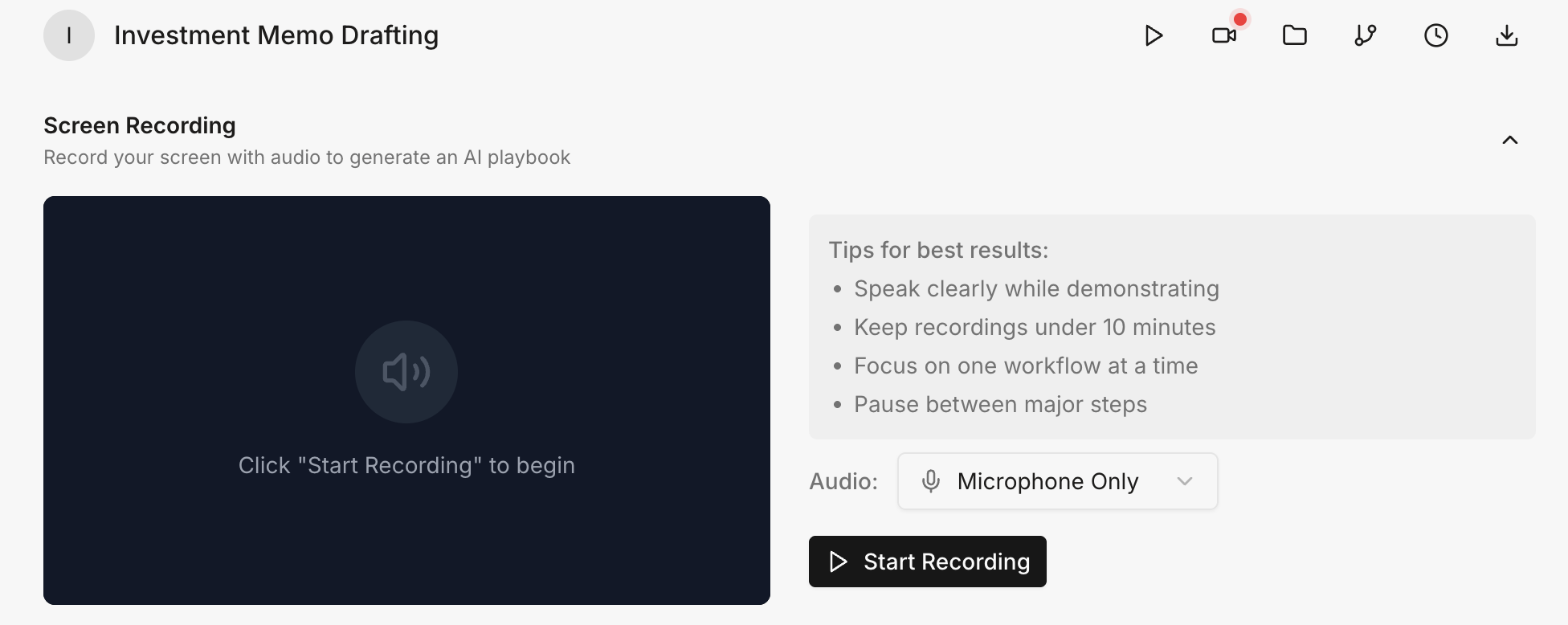
Record your playbook Click Record and walk through the motion on your screen, narrating the why. Komo watches and generates the playbook. Useful for nuanced motions that resist being typed out.

Sales-specific examples

Pre-call brief

Trigger: Any calendar event in next 24h with an external attendee.
Steps:
  1. Match attendee's company to a CRM account
  2. Pull standard fields + last 5 inbox threads + campaign activity
  3. Research attendee on LinkedIn (last 3 posts, role changes)
  4. Draft one-page brief: who, what's been discussed, opener, objections
  5. Email me 12h before the meeting

Account QBR

Trigger: Manual or scheduled (e.g. monthly per account).
Steps:
  1. Pull renewal date, contract value, product usage
  2. Pull last 90 days of inbox + campaign activity
  3. Identify wins, blockers, risk signals from inbox tone
  4. Generate one-page QBR: exec summary, health, wins, risks, next steps
  5. Email me Friday morning + post to account timeline

Weekly pipeline review

Trigger: Every Monday 8 AM.
Steps:
  1. Pull every open opportunity
  2. Score each on fit, timing, connection
  3. Surface top 10 (push) and bottom 10 (disqualify/re-engage)
  4. Send digest

Signal-to-touch

Trigger: New lead from a Signal Agent.
Steps:
  1. Read signal context (which post, which engagement, why matched)
  2. Pull buyer's last 3 LinkedIn posts
  3. Draft 2-touch sequence (LinkedIn DM + email) referencing the signal
  4. Queue in the matching campaign
  5. Notify me only if fit score is unusually high

Renewal risk scan

Trigger: Every Monday for accounts renewing in next 90 days.
Steps:
  1. Pull last 60 days of inbox activity per account
  2. Classify reply tone (positive, neutral, negative, silent)
  3. Cross-reference with product usage trend
  4. Flag declined tone or dropped usage
  5. Email watchlist with renewal date, decline signal, suggested action

Competitive battlecard refresh

Trigger: Every 2 weeks.
Steps:
  1. Pull competitors from CRM
  2. Scrape recent pricing, feature, positioning updates
  3. Diff against last saved battlecard
  4. Update with "What's changed" summary
  5. Notify #enablement on Slack with the diff

Running a playbook

Four invocation paths:

Writing better playbooks

Be specific about inputs and outputs.
  • ✅ “When email subject contains ‘compliance check’ followed by company name”
  • ❌ “When someone needs a compliance check”
Define clear success criteria.
  • ✅ “Pass if no regulatory violations in 24 months AND financial ratios within ranges”
  • ❌ “Check if account is compliant”
Specify exception handling.
  • ✅ “If renewal date is missing, flag for manual review and notify me”
  • ❌ “Handle missing data appropriately”
Map to specific tools.
  • ✅ “Create a Linear issue, assign to @sales-ops, set priority based on deal size”
  • ❌ “Notify the relevant team”

FAQ

Can playbooks call other playbooks? Enterprise feature — contact sales. What if a step fails? Built-in retry + fallback. Failed runs preserved in History for inspection. Can I version playbooks? Yes. Every save creates a new version; roll back from the menu. How do I update one? Edit in the editor, or describe the change in natural language (“add a step: notify CFO if deal > $50k”). Goes live on next run. Can playbooks read sensitive CRM data? Yes, scoped to your account’s permissions.
Turn your team’s repeated motions into one-click playbooks. Start at the Playbook Editor.