

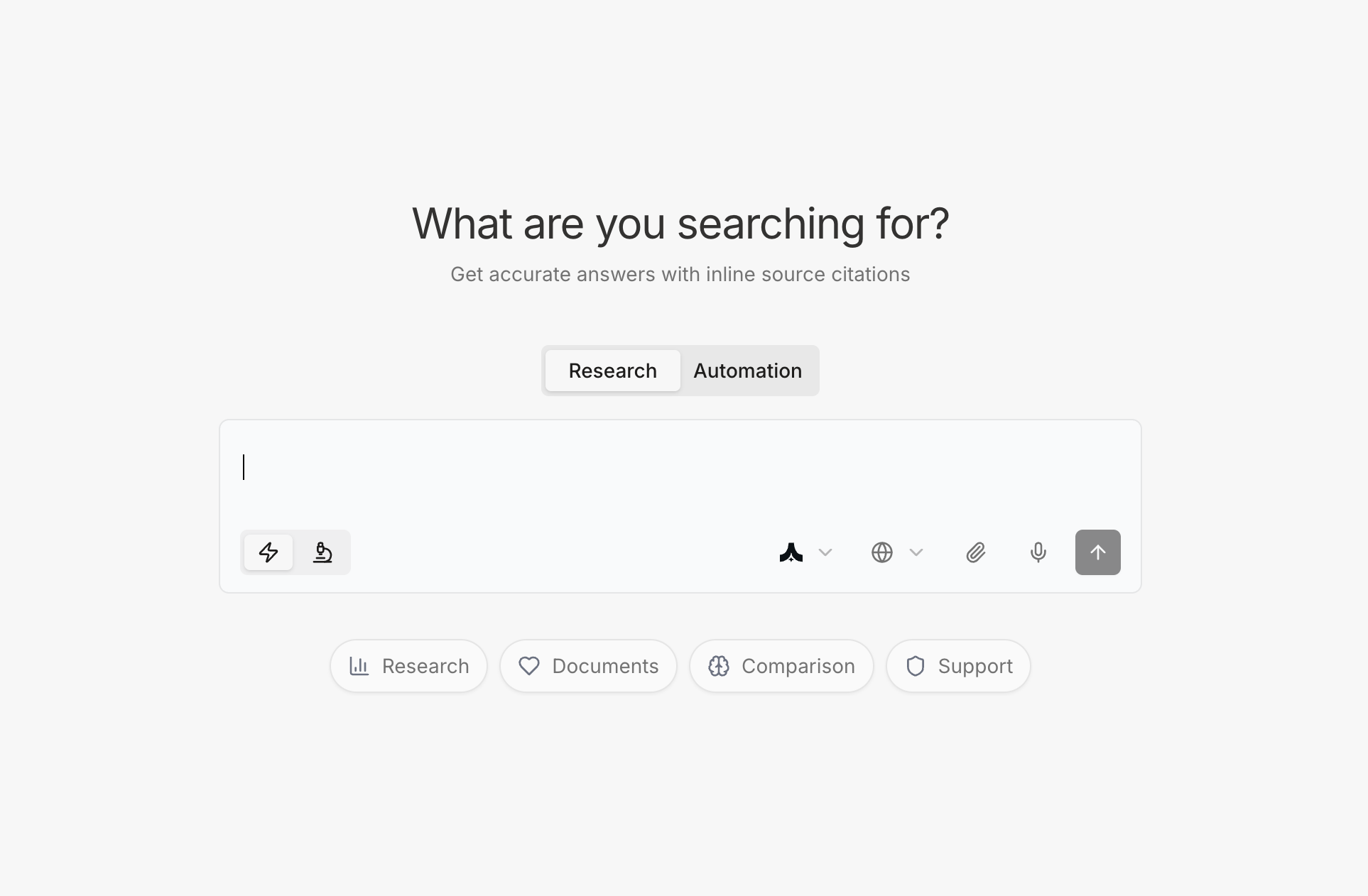
What is Komo Search & Research?
Komo Search & Research is your AI-powered answer engine designed for professional knowledge work. Instead of manually searching through dozens of websites, reading lengthy articles, and synthesizing information yourself, Komo researches, analyzes, and delivers comprehensive answers with full source attribution—all in seconds. Core Capabilities:- Inline Source Citations - Every statement backed by sources directly embedded in text
- Fact-Check Sidebar - See exact quotes from sources that support each claim
- Multiple Research Corpus - Choose from specialized knowledge bases for different needs
- Deep Research Mode - Comprehensive multi-source analysis for complex questions
- Multi-Model Support - Select AI models optimized for your specific use case
The Komo Difference: Verifiable Fact-Checking
The AI Hallucination Problem
Traditional AI chatbots can confidently state incorrect information. Without citations, you can’t verify claims, which makes them unsuitable for professional work where accuracy matters.Komo’s Solution: Transparent Source Attribution
Every answer in Komo includes:- Inline Citations - Source markers embedded directly in responses
- Fact-Check Sidebar - Full transparency into where information comes from
- Direct Quotes - See the exact text from sources that support each claim
- Clickable References - Jump directly to source pages for verification
How Fact-Checking Works
The Interface: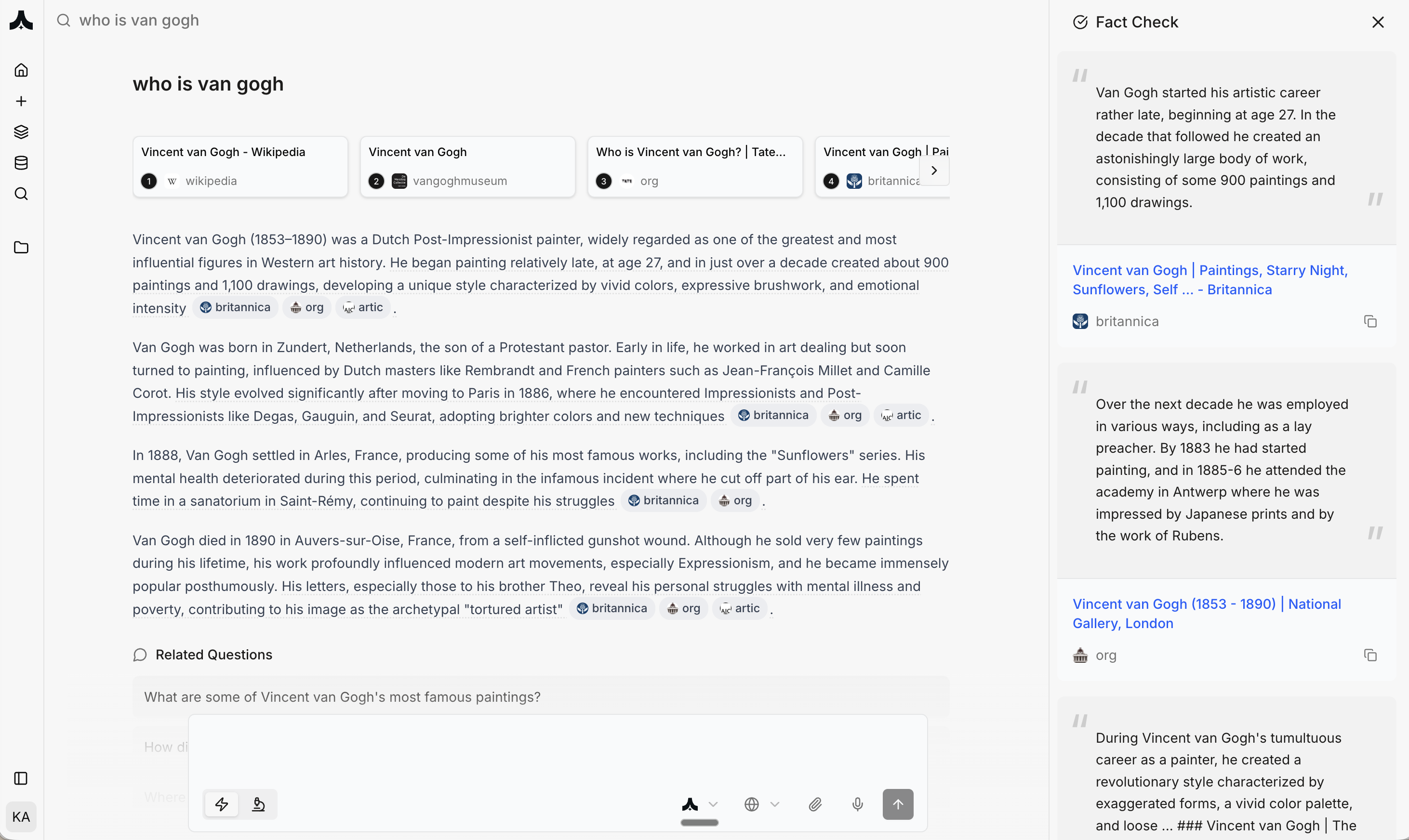
- Displays direct quotes from sources
- Shows exact text that supports each claim
- Links to original source pages
- Organized by relevance to different parts of answer
- ✅ Verify Claims Instantly - Click any statement to see supporting evidence
- ✅ Catch Errors - Identify when AI misinterprets sources
- ✅ Deep Dive - Follow citations to original articles for full context
- ✅ Build Trust - Know information is grounded in real sources, not generated
- ✅ Professional Work - Suitable for research, analysis, decision-making
Multiple Research Corpus
Komo provides specialized knowledge bases optimized for different types of research. Access the corpus selector (🌐 icon) to choose your research domain.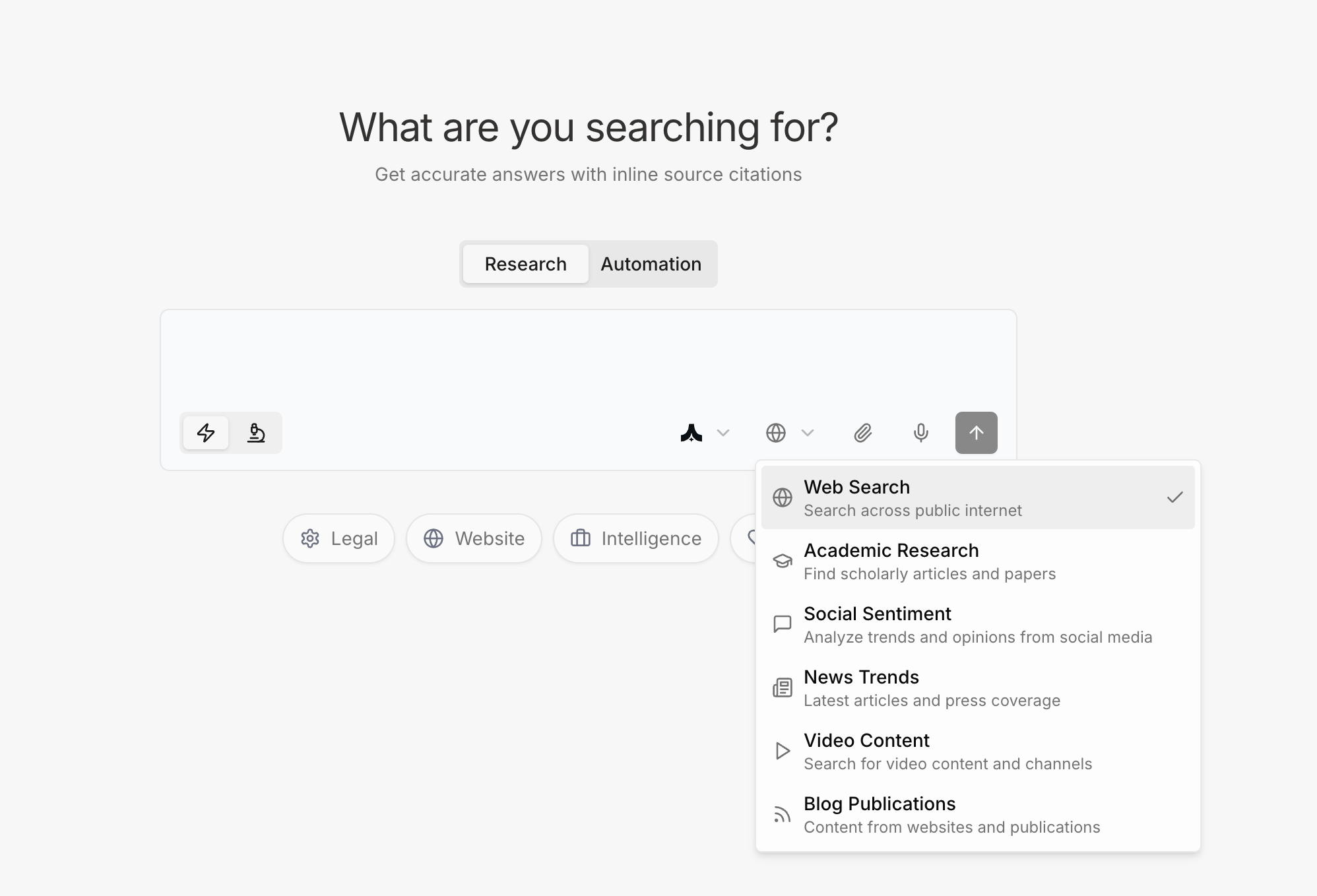
Available Corpus Types
1. Web Search (Default)
Search across public internet Best For:- General knowledge questions
- Current events and news
- Product research and comparisons
- Company information
- Industry trends
- “What are the latest developments in AI regulation?”
- “Compare top 5 project management tools for remote teams”
- “Who are the main competitors in the enterprise SaaS space?”
2. Academic Research
Find scholarly articles and papers Best For:- Literature reviews
- Scientific research background
- Technical concepts and methodologies
- Peer-reviewed findings
- Academic citations
- “What does recent research say about large language model reasoning capabilities?”
- “Summarize current academic understanding of quantum computing applications”
- “What are the most cited papers on transformer architecture?”
3. Social Sentiment
Analyze trends and opinions from social media Best For:- Brand perception research
- Product feedback analysis
- Trend identification
- Competitive sentiment
- Public opinion research
- “What are people saying about the new iPhone on social media?”
- “How is Tesla’s brand perceived compared to traditional automakers?”
- “What are common complaints about project management software?”
4. News Trends
Latest articles and press coverage Best For:- Breaking news and updates
- Industry developments
- Market movements
- Company announcements
- Press coverage analysis
- “What are the latest merger announcements in fintech?”
- “Summarize this week’s AI industry news”
- “What did the Fed announce in their latest meeting?”
5. Video Content
Search for video content and channels Best For:- Tutorial and how-to research
- Conference talks and presentations
- Expert interviews
- Product demos and reviews
- Educational content
- “Find YouTube tutorials on building Chrome extensions”
- “What are the best talks on product management from Y Combinator?”
- “Show me product demos of AI coding assistants”
6. Blog Publications
Content from websites and publications Best For:- Industry thought leadership
- Technical blog posts
- Company engineering blogs
- Deep-dive analyses
- Expert perspectives
- “What are engineering teams saying about microservices architecture?”
- “Find blog posts about fundraising strategies for B2B SaaS”
- “What are best practices for API design from tech companies?”
When to Use Deep Research
Komo offers two research modes, selectable via the lightning bolt (⚡) icon:Quick Search (Default)
Fast answers from immediate sources Use When:- Need answer in under 10 seconds
- Question is straightforward
- Checking basic facts
- Quick clarifications
Deep Research (⚡ Deep Search)
Comprehensive multi-source analysis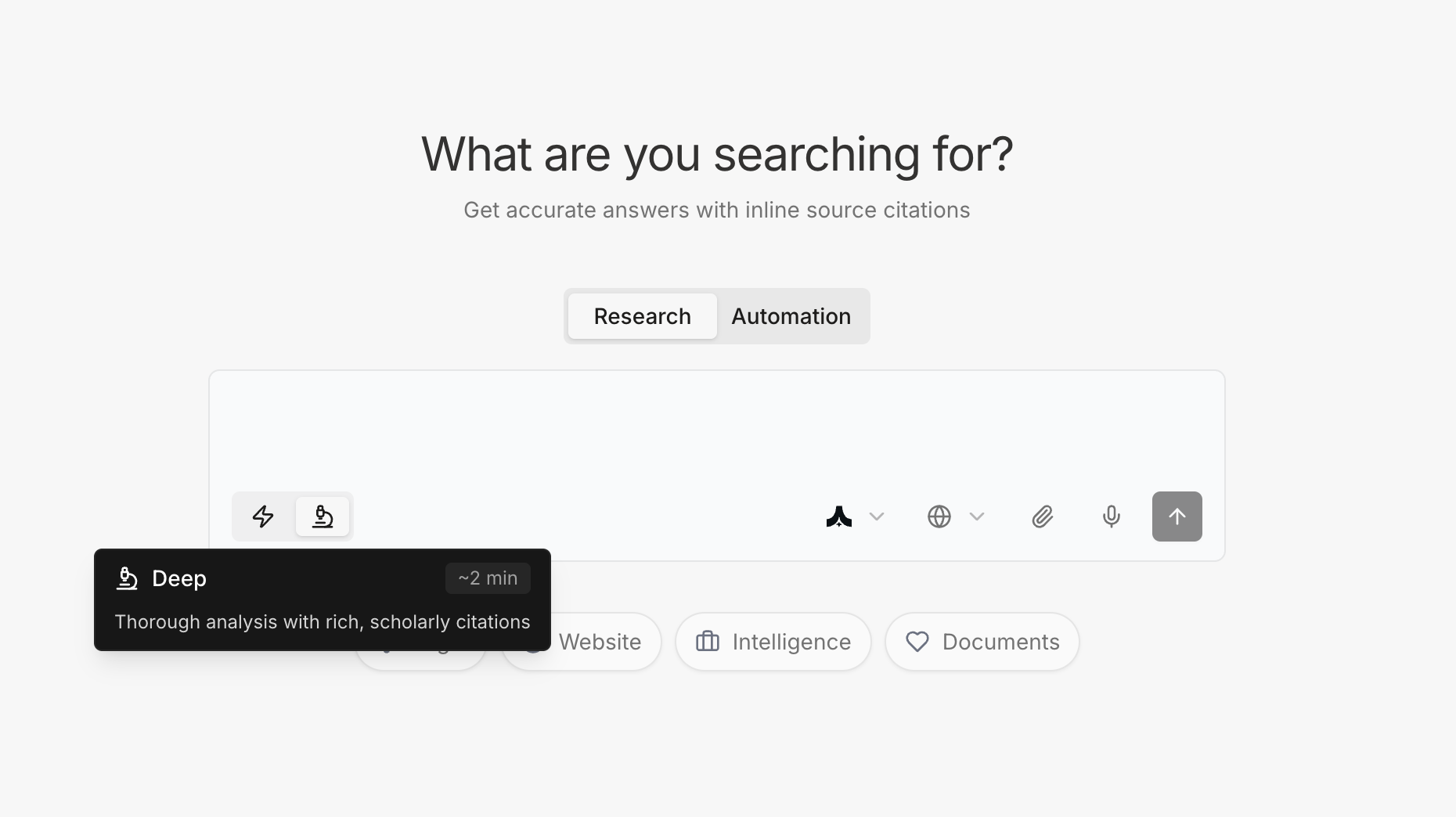
- Complex questions requiring synthesis
- Comparing multiple perspectives
- Comprehensive research needed
- Making important decisions
- Need exhaustive coverage
- “Compare the pros and cons of React vs. Vue for enterprise applications”
- “What are the best practices for implementing zero-trust security?”
- “Analyze the competitive landscape for AI-powered code assistants”
- Analyzes dozens of sources
- Identifies contradicting viewpoints
- Synthesizes comprehensive answer
- Provides balanced perspective
- Cites all major perspectives
Choosing the Right AI Model
Komo supports multiple AI models, each optimized for different use cases. Select via the model selector.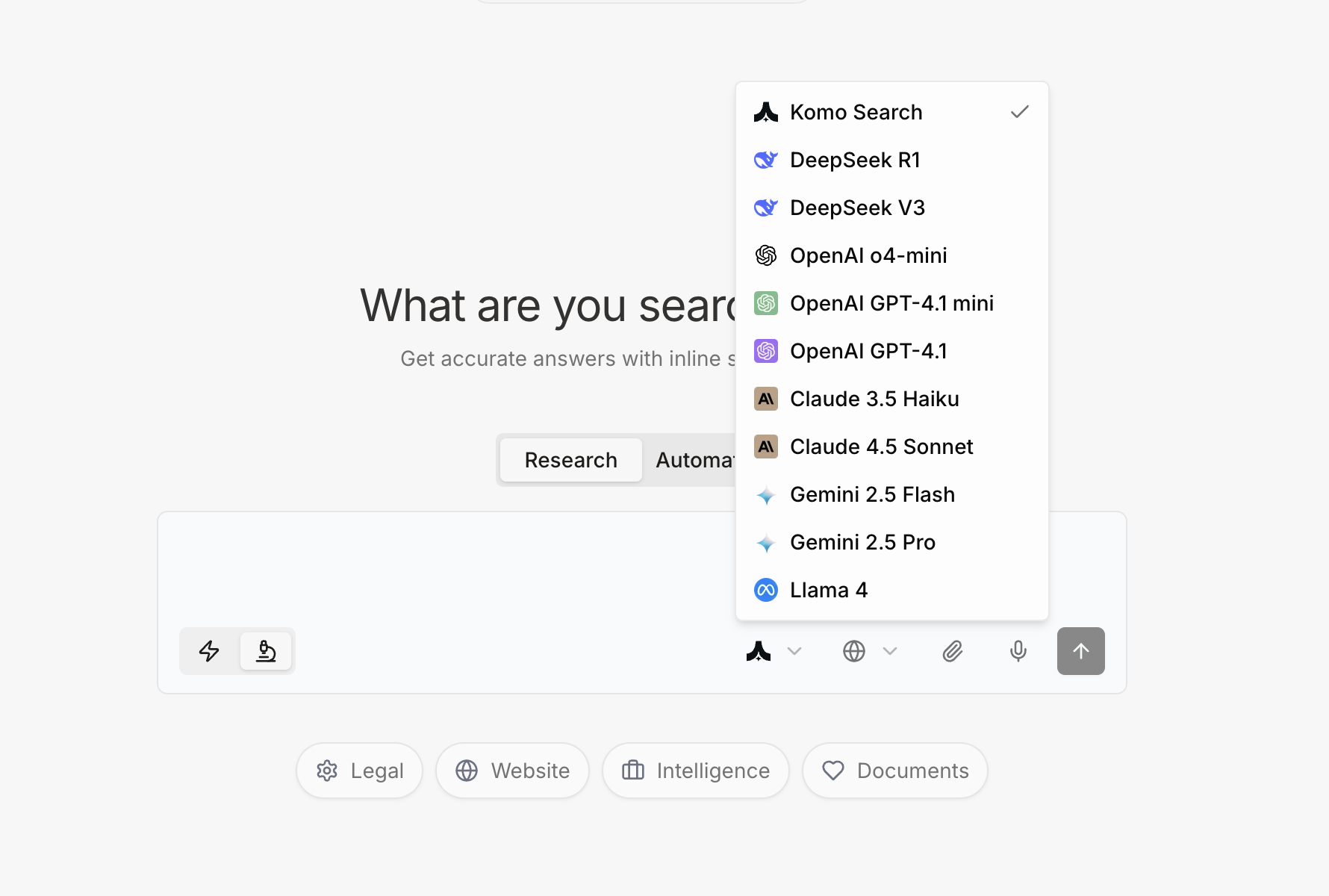
When to Switch Models:
The default model is Komo Search—a fine-tuned AI model optimized for high-quality search ranking, synthesis, and summarization, designed to minimize bias and deliver balanced, unbiased views of results. Use Claude for:- App design and developement
- Detailed analytical reports
- Code-related queries
- Writing that requires nuance
- Complex technical questions
- Brainstoming and advising
- Creative problem-solving
- Multi-step reasoning
- Multimodal content (images, video)
- Long questions or document analysis
- High-volume queries
- Creative writing
Real-World Use Cases
Use Case 1: Competitive Intelligence
Scenario: Product manager researching competitors Query:- Corpus: Web Search
- Mode: Deep Research
- Model: Claude
- Searches across company websites, review sites, Reddit discussions
- Extracts pricing from each platform
- Compares feature sets
- Identifies target customer segments
- Checks recent product announcements
- Comprehensive comparison table
- Pros/cons for each platform
- Pricing breakdown with citations
- Recent updates from each company
- Every claim linked to verifiable source
- Direct quote from Notion pricing page
- Reddit thread discussing Airtable limitations
- TechCrunch article on Monday.com funding
- User reviews from G2 and Capterra
Use Case 2: Investment Research
Scenario: VC analyst researching potential investment Query:- Corpus: Web Search + Academic Research
- Mode: Deep Research
- Model: GPT-4
- Identifies major players (GitHub Copilot, Cursor, Replit, etc.)
- Researches each company’s positioning
- Finds funding announcements
- Reviews academic papers on code generation
- Analyzes market size and trends
- Market landscape overview
- Company profiles with funding data
- Technical differentiation analysis
- Growth trends and projections
- Academic research context
- Crunchbase for funding data
- Company blogs for product announcements
- arXiv papers on code LLMs
- Industry reports on market size
Use Case 3: Product Launch Research
Scenario: Marketing lead planning product announcement Query:- Corpus: Social Sentiment + Blog Publications
- Mode: Deep Research
- Model: Claude
- Analyzes Twitter/Reddit discussions
- Reviews blog posts from users
- Identifies recurring themes
- Extracts pain points
- Summarizes sentiment
- Common pain points ranked by frequency
- Sentiment analysis (positive/negative themes)
- User quotes from social media
- Feature requests from discussions
- Competitive dissatisfaction areas
- Direct tweets from frustrated users
- Reddit comments explaining issues
- Blog posts with detailed pain points
- Every claim traceable to actual user feedback
Use Case 4: Technical Implementation Research
Scenario: Engineer researching architecture approach Query:- Corpus: Blog Publications + Academic Research
- Mode: Deep Research
- Model: GPT-4
- Finds engineering blogs from Uber, Netflix, Stripe, etc.
- Locates academic papers on distributed systems
- Identifies real-world case studies
- Compares trade-offs
- Synthesizes balanced perspective
- Comprehensive trade-off analysis
- Real company experiences (successes and failures)
- Technical considerations
- When to choose each approach
- Performance and scalability data
- Netflix TechBlog on microservices journey
- Shopify blog on monolith challenges
- Academic papers on distributed systems
- Conference talks from industry leaders
Use Case 5: Market Trend Analysis
Scenario: Strategy team tracking industry shifts Query:- Corpus: News Trends + Academic Research
- Mode: Deep Research
- Model: Claude
- Reviews recent news articles
- Checks industry reports
- Analyzes academic publications
- Identifies recurring themes
- Synthesizes trend analysis
- Top 5 emerging trends with evidence
- Timeline of developments
- Expert perspectives
- Adoption data where available
- Future projections
- WSJ article on enterprise AI spending
- Gartner report on AI adoption
- MIT Technology Review analysis
- Company press releases
- Conference presentations
Best Practices
Formulating Effective Queries
Be Specific:- ✅ “What are the security best practices for multi-tenant SaaS applications?”
- ❌ “Tell me about security”
- ✅ “For a Series A startup with 20 employees, what are the top 3 CRM options?”
- ❌ “What CRM should I use?”
- ✅ “Give me a comprehensive comparison of…” (triggers deep research)
- ✅ “Quick overview of…” (triggers fast search)
Using Corpus Effectively
Stack Multiple Corpus for Comprehensive View: Primary corpus: Academic Research Follow-up with: Blog Publications- First query: “What does research say about remote team productivity?”
- Second query: “What do engineering teams report about remote work?”
- Factual → Web Search
- Scientific → Academic Research
- Opinions → Social Sentiment
- Recent → News Trends
- How-to → Video Content + Blog Publications
Leveraging Fact-Check Sidebar
Always Review Citations for:- Critical business decisions
- Data you’ll present to executives
- Claims that seem surprising
- Information you’ll act on
- Need more context than quote provides
- Want to see full methodology
- Checking publication date
- Verifying authority of source
Common Questions
Q: How current is the information? A: Web Search corpus provides real-time information. For very recent events (last few hours), use News Trends corpus. Q: Can I trust the accuracy of answers? A: Always verify using the Fact-Check sidebar. Every claim should have supporting citations you can review. Q: What if sources contradict each other? A: Deep Research mode identifies contradictions and presents multiple perspectives. Check Fact-Check sidebar to see different viewpoints. Q: How many sources does Komo check? A: Quick Search: 5-10 sources. Deep Research: 20-50+ sources depending on query complexity. Q: Can I export research with citations? A: Yes. Answers can be exported with full citation list for documentation or reporting. Q: What if the answer is incomplete? A: Follow up with: “Can you provide more detail on [specific aspect]?” or switch to Deep Research mode. Q: Do citations slow down responses? A: Minimal impact. Quick Search: 5-10 seconds. Deep Research: 30-60 seconds. Citations are generated simultaneously with answer. Q: Can I search within my company’s documents? A: Yes—for short documents, you can simply attach them directly in the chat. For long or numerous files (for example, 100+ pages), the Data Room feature is the better option. Currently, document understanding requires Automation Mode, but we’re actively improving the experience to make this workflow more intuitive and easier to use. Q: How do I know if a source is credible? A: Review source domain in Fact-Check sidebar. Academic journals, major news outlets, and official company sources are generally authoritative. Always use your judgment. Q: What languages are supported? A: Queries in any major language. Results will match query language. Specify: “Respond in Spanish” if needed. Q: Can I save research for later? A: Yes. All research appears in Activity Monitor and can be referenced or shared with team.Get accurate, cited answers for your research questions. Try Komo Search at komo.ai.