

What is Playbook?
Playbook is Komo’s approach to operationalizing your team’s knowledge. Instead of maintaining static documentation that quickly becomes outdated, Komo converts your processes into executable workflows that agents can run, learn from, and continuously improve. Whether you’re documenting a compliance review process, customer onboarding workflow, or security incident response protocol, Komo makes your expertise actionable and scalable.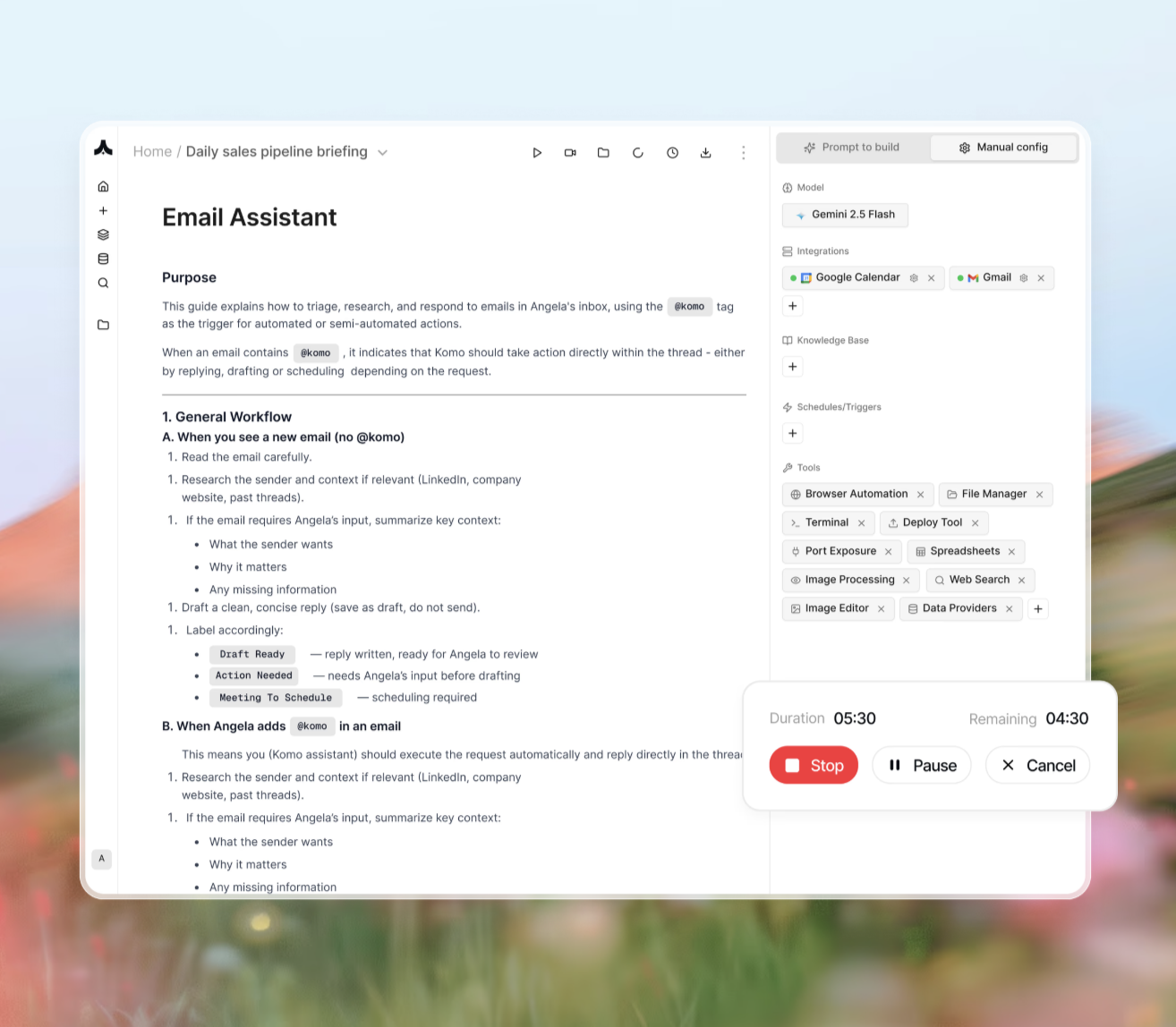
How It Works
Four Ways to Create Playbooks
1. Agent Builder
Click on thePrompt to build in right-side panel, and simply describe your goal in plain language in the agent builder, like
2. Playbook Editor
Simply write your process in plain language in the notion-like playbook editor, like:3. Import Existing SOPs (Enterprise)
Upload your current documentation:- Word documents with step-by-step procedures
- PDF process guides
- Confluence or Notion pages
- Spreadsheet-based workflows
4. Record Your Process
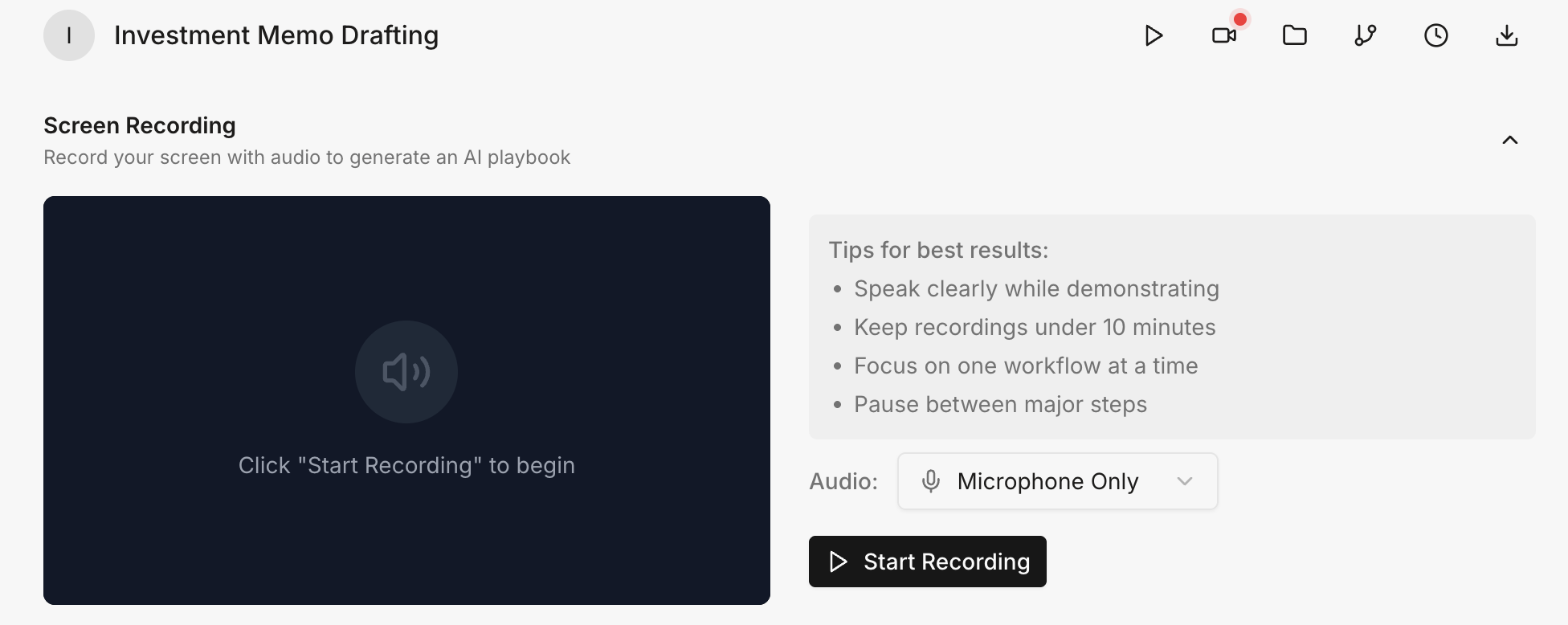
- Walk through the process on your screen
- Narrate the nuances, details and why with voiceover
- Komo observes, learns, and creates the playbook automatically
Playbook Execution
Once created, you could config the playbooks in the right sidebar to use external tools to become autonomous workflows:- Trigger-based activation: Email received, Slack message, scheduled time, or external event
- Tool integration: Seamlessly works across Gmail, Notion, Slack, databases, and 100+ tools and computer and browser.
- Adaptive learning (Enterprise): Improves execution based on outcomes and edge cases
- Human-in-the-loop (Enterprise): Requests guidance when facing ambiguous situations
Real-World Examples
Example 1: Compliance Review Playbook
Scenario: Investment firm needs to review portfolio companies for regulatory compliance Playbook Input (natural language):- Reduced compliance review time from 3 hours to 15 minutes
- Consistent application of criteria across all reviews
- Audit trail of every check performed
- Scales to handle 100+ reviews monthly without adding staff
Example 2: Customer Onboarding
Scenario: SaaS company needs to standardize customer onboarding across sales team Playbook Input (imported from Notion SOP):- Import existing “Customer Onboarding Checklist” document
- Komo identifies 12 steps from setup to first success call
- Automatically maps steps to tools (Salesforce, Slack, Stripe, Zendesk)
- 40% faster onboarding completion
- Zero missed steps or forgotten follow-ups
- Automatic Slack notifications to stakeholders at each milestone
- Customer success team freed from manual coordination
Example 3: Security Incident Response
Scenario: Security team needs rapid, consistent incident response Playbook Input (video recording):- Security engineer walks through incident investigation process
- Demonstrates: checking logs, querying database, reviewing access patterns, documenting findings
- Automated initial triage of 70% of security alerts
- Consistent investigation methodology every time
- Documentation generated automatically
- SOC team focuses on high-priority threats only
Use Cases by Department
| Department | Playbook Examples |
|---|---|
| Security Teams | Incident response, vulnerability assessment, access reviews, security audits |
| Finance & Accounting | Invoice processing, compliance checks, financial reporting, expense approvals |
| Customer Success | Onboarding workflows, support escalations, churn prevention, health scoring |
| Operations | Vendor management, procurement workflows, resource allocation, reporting |
| Sales | Lead qualification, proposal generation, contract review, CRM updates |
| HR | Employee onboarding, benefits enrollment, performance review workflows |
Key Benefits
1. Capture Institutional Knowledge
Stop losing expertise when employees leave. Document processes once, execute them forever.2. Scale Without Headcount
Run thousands of playbook executions in parallel. One playbook can replace dozens of manual hours.3. Ensure Consistency
Eliminate variation in execution. Every playbook instance follows the same high-quality process.4. Continuous Improvement
Playbooks learn from outcomes. Edge cases become refinements. Processes get better over time.5. Maintain Control
Human-in-the-loop when needed. Review agent decisions. Override when necessary. Full audit trail always.Tips for Better Playbooks
Be specific about inputs and outputs:- ✅ “When email subject contains ‘compliance check’ followed by company name”
- ❌ “When someone needs a compliance check”
- ✅ “Company passes if: no regulatory violations in 24 months AND financial ratios within ranges”
- ❌ “Check if company is compliant”
- ✅ “If data is missing: flag for manual review and notify analyst”
- ❌ “Handle missing data appropriately”
- ✅ “Create issue in Linear, assign to @security-team, set priority based on severity”
- ❌ “Notify the relevant team”
Common Questions
Q: Can playbooks call other playbooks? Yes — this is an enterprise feature. Please contact sales to discuss your specific requirements. Q: What happens if a step fails? A: Playbooks include error handling. Agents can retry, request human assistance, or execute fallback workaround procedures. Q: Can I version playbooks? A: Yes. All playbook versions are tracked. Roll back to previous versions anytime. Q: How do I update a playbook? A: Edit the playbook in natural language (“Add step: notify CFO if amount > $50k”) easily anytime and deploy in seconds. Q: Can playbooks access sensitive data? A: Yes, only with proper permissions. Komo respects all tool-level access controls and maintains encryption throughout. Please see the detailed product pages for MCP and tool usage for more info.Turn your team’s expertise into scalable AI workflows. Create your first playbook at komo.ai.